 Account Direct
Invoicing software: what should it do for your business?
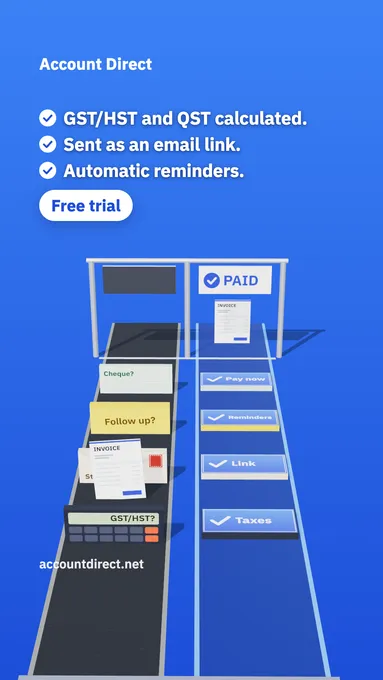
Same invoice, two roads
By hand, one invoice is a chain of small chores. You work out the taxes, build the PDF, send it, keep track of who has not paid, follow up, then forward a copy to your accountant. An invoicing tool should take those chores off your plate, not just make the PDF look nicer. Here is what we think a good tool must do in 2026, and how the Account Direct invoicing tool handles each point.
1. Taxes calculated, each on its own line
Choose the province of sale and tick the taxes on each line, and on shipping if it is taxable. The tool calculates the GST or HST of that province, and QST, PST or RST where they apply, each on its own line, with your tax registration numbers on the invoice. That matters to your customer: from $100 of sales, taxes included, an invoice needs your registration numbers for a registered customer to claim back the taxes they paid you. Our guide on how to add GST/HST and QST to an invoice covers the rules.
Once an invoice is issued, its amounts stay as they were, even if a rate changes later, and invoice numbers are never reused.
2. English or French, invoice by invoice
If you bill customers in both languages, choose English or French for each invoice: its PDF, the email it opens and its payment reminders follow that language, and your customer can switch the PDF's language on the view-only page.
3. Getting paid without chasing
Send a view-only link your customer opens without an account, or the PDF, from your own email. Add your own payment link once, and the view-only page shows a Pay now button and the PDF a Pay online line. The payment goes to you directly, never through Account Direct.
Then turn on payment reminders. Pick up to 5 days, from 30 days before to 60 days after the due date, and on each one we email your customer the amount owing and the invoice's link, until it is paid. Each reminder shows your business name, replies come to you, and every reminder is logged on the invoice.
4. Repeat work, without surprises
Bill the same customer every week, month, 3 months or year? Set the invoice to repeat, and a new draft is made on each date for you to review and send. Nothing is sent by itself. We tell you in the app and by email when a draft is ready, and you can pause, change or stop the repeat.
5. Where we differ most: your accountant already has it
When invoicing lives in a separate app, your invoices sit in one place and your books in another, and someone has to bring them together at year end. With us there is no gap to bridge, because we are the accountant. Your invoices appear in your file for your accountant, with the payments you record, and Add to my documents puts an invoice's PDF with your other documents. Invoicing is also included in the bookkeeping plan, so it is not one more subscription to manage.
The everyday details
Quotes that turn into invoices in one step. Duplicate any invoice, with the next number and today's date. Statuses from draft to sent, partial, paid, overdue and void, with the amount still owing. Saved customers and items for the next invoice. Your logo and accent colour. And it all works on a phone.
Try it free
See everything on the Invoicing page, watch the 15-second video there, and try the invoicing tool free. Sign up, and once we approve your account, we turn invoicing on. You send the invoices; we keep the books.
Frequently asked questions
Does my customer's payment go through Account Direct?
No. You add your own payment link, and the invoice shows a Pay now button and a Pay online line. The money goes to you directly, and you mark the invoice paid when it arrives.
Does my accountant see the invoices I send?
Yes. Your invoices appear in your file for your accountant, with the payments you record, and Add to my documents puts an invoice's PDF with your other documents.